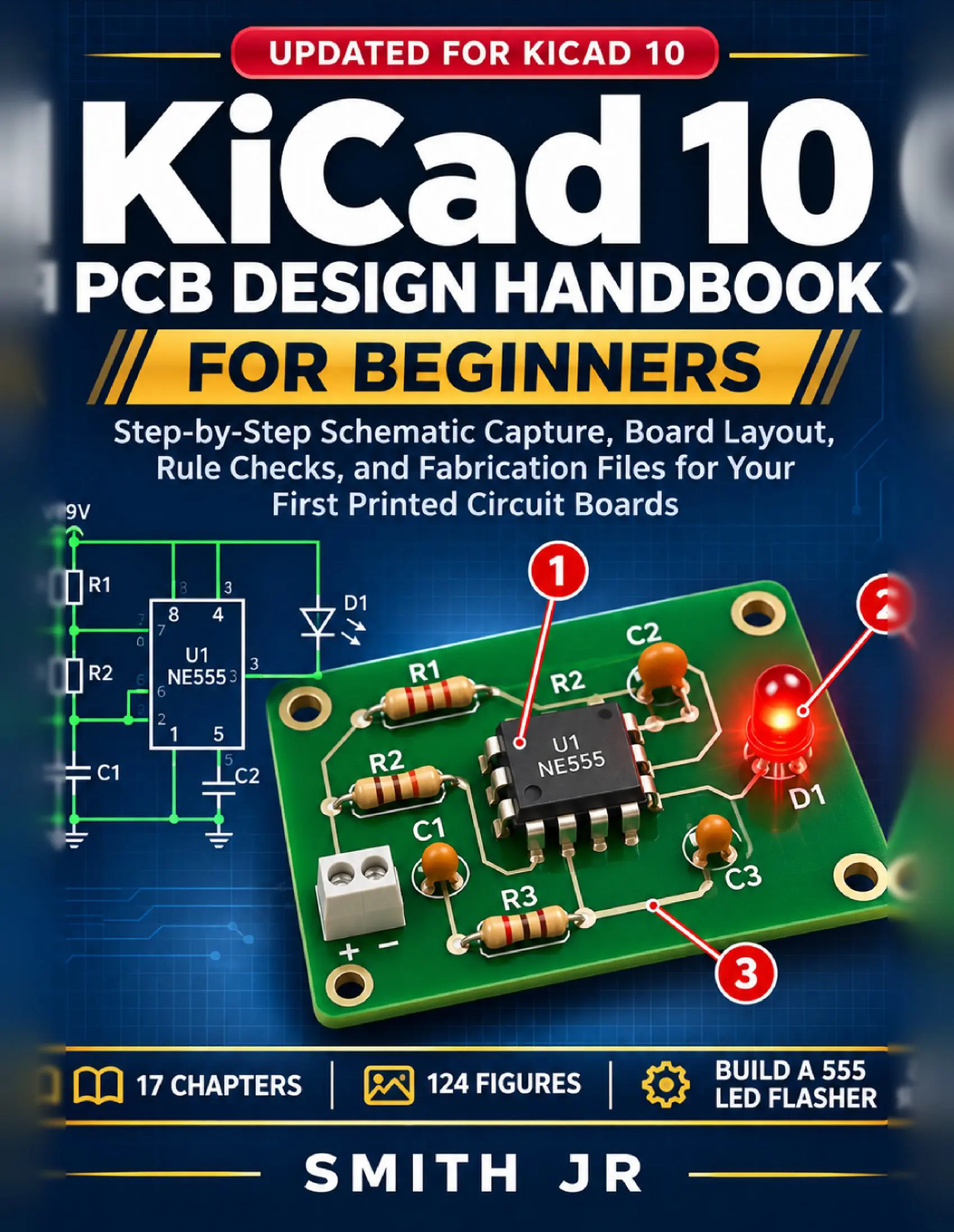
KiCad 10 PCB Design Handbook for Beginners

£35.00

Your first circuit board is closer than you think.

Picture it: a small board, designed by you, with an LED blinking on it. Every connection checked. Every file ready to send to a manufacturer. No guessing, no jargon wall, and no “figure out the rest yourself.”

Printed circuit boards sit inside almost every device you own. KiCad 10, the free and open-source design suite, puts the same kind of tools within your reach. The hard part has never been the software. It has been knowing what to click next. This book answers that question on every page.

THE REASON: Stop Getting Stuck

Most tutorials show you a finished board and leave you to work out how it got there. This handbook walks beside you like a patient instructor. Each procedure tells you what to do, what you should see, and how to check that it worked. If something looks wrong, the troubleshooting guide in each chapter tells you what to try.

THE WHAT: From Blank Screen to Fabrication Files
  • Set up KiCad 10 with confidence. Install it, confirm your version, and create your first project.
  • Capture a schematic. Place symbols, draw wires, add labels and power, and run the Electrical Rules Check.
  • Link every part to a real footprint and generate a bill of materials.
  • Lay out your board. Set the board rules, draw the outline, place and arrange parts, route tracks, add vias, and fill a ground zone.
  • Catch mistakes before they cost money. Run the Design Rules Checker and inspect your board in the 3D Viewer.
  • Create Gerber and drill files and check them in the Gerber Viewer.
  • Build your own symbols and footprints with the Symbol Editor and the Footprint Editor.
  • Finish with a complete project. Design a 555-timer LED flasher from an empty page to a board that is ready to be made.
INSIDE THE BOOK
  • 17 chapters in a clear learning order, so each skill builds on the last
  • 124 figures with numbered red callouts and legends, including real KiCad 10.0.7 screenshots
  • Hands-on practice exercises and “Check” steps that prove you got it right
  • Key terms and a chapter summary in every chapter
  • A quick reference, appendices, a glossary, and a full index for fast look-ups
THE WHO: This Book Is for You If You Are…
  • A student or hobbyist who wants to turn a circuit idea into a real board
  • A maker who has outgrown the breadboard
  • An Arduino or Raspberry Pi tinkerer who wants a neat, permanent build
  • An engineer, teacher, or technician who is new to KiCad

No PCB experience is needed. The book explains each term as it appears, and it is written with Windows in mind.

THE WHEN: Now

KiCad 10 is here, the tools are free, and your project idea is waiting. The best time to design your first board is before you buy parts, order boards, and find a mistake you could have caught on screen.


Click “Buy Now” or “Add to Cart” and take the first step. By the last chapter, you will have designed a circuit board of your own.

⏳
This product is printed to order

Please allow 2-4 working days for dispatch. We'll let you know as soon as it's on the way!

SKU: 9678246000019 Categories: , ,
Binding: Perfect Bound
Pages: 334Author: JR Smith
 

Description

Your first circuit board is closer than you think.

Picture it: a small board, designed by you, with an LED blinking on it. Every connection checked. Every file ready to send to a manufacturer. No guessing, no jargon wall, and no ‘figure out the rest yourself.’

Printed circuit boards sit inside almost every device you own. KiCad 10, the free and open-source design suite, puts the same kind of tools within your reach. The hard part has never been the software. It has been knowing what to click next. This book answers that question on every page.

THE REASON: Stop Getting Stuck

Most tutorials show you a finished board and leave you to work out how it got there. This handbook walks beside you like a patient instructor. Each procedure tells you what to do, what you should see, and how to check that it worked. If something looks wrong, the troubleshooting guide in each chapter tells you what to try.

THE WHAT: From Blank Screen to Fabrication Files
  • Set up KiCad 10 with confidence. Install it, confirm your version, and create your first project.
  • Capture a schematic. Place symbols, draw wires, add labels and power, and run the Electrical Rules Check.
  • Link every part to a real footprint and generate a bill of materials.
  • Lay out your board. Set the board rules, draw the outline, place and arrange parts, route tracks, add vias, and fill a ground zone.
  • Catch mistakes before they cost money. Run the Design Rules Checker and inspect your board in the 3D Viewer.
  • Create Gerber and drill files and check them in the Gerber Viewer.
  • Build your own symbols and footprints with the Symbol Editor and the Footprint Editor.
  • Finish with a complete project. Design a 555-timer LED flasher from an empty page to a board that is ready to be made.
INSIDE THE BOOK
  • 17 chapters in a clear learning order, so each skill builds on the last
  • 124 figures with numbered red callouts and legends, including real KiCad 10.0.7 screenshots
  • Hands-on practice exercises and ‘Check’ steps that prove you got it right
  • Key terms and a chapter summary in every chapter
  • A quick reference, appendices, a glossary, and a full index for fast look-ups
THE WHO: This Book Is for You If You Are…
  • A student or hobbyist who wants to turn a circuit idea into a real board
  • A maker who has outgrown the breadboard
  • An Arduino or Raspberry Pi tinkerer who wants a neat, permanent build
  • An engineer, teacher, or technician who is new to KiCad

No PCB experience is needed. The book explains each term as it appears, and it is written with Windows in mind.

THE WHEN: Now

KiCad 10 is here, the tools are free, and your project idea is waiting. The best time to design your first board is before you buy parts, order boards, and find a mistake you could have caught on screen.


Click ‘Buy Now’ or ‘Add to Cart’ and take the first step. By the last chapter, you will have designed a circuit board of your own.


Additional information

Weight0.835 kg
Dimensions27.9 × 21.6 × 1.8 cm

Reviews

There are no reviews yet.

Be the first to review “KiCad 10 PCB Design Handbook for Beginners”

Your email address will not be published. Required fields are marked *